AI RevOps for Franchise Development: What It Is and What It Finds
Part of our complete guide: Franchise Lead Follow-Up With AI
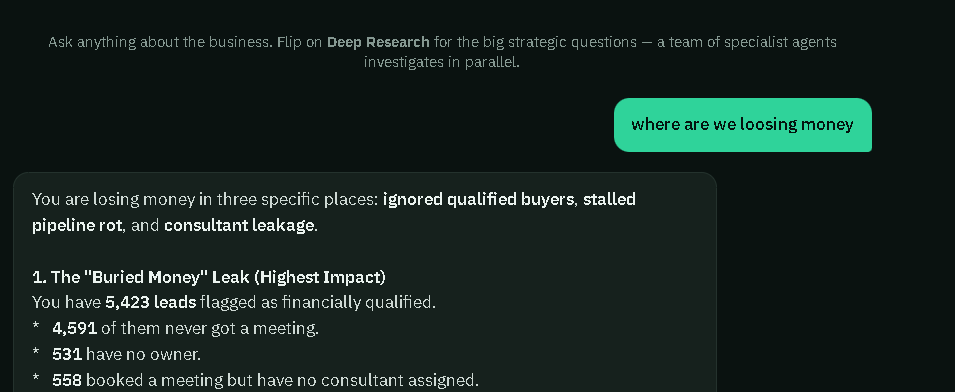
AI RevOps means pointing an AI at everything your revenue team touches, so you can ask where the money is going and get a straight answer with the numbers behind it.
In franchise development, that means your CRM, calendars, pipeline, calls and ad spend. We built one and ran it on the live data of the firm in our case study. Here's a real answer it gave.
- ReadsCRM, calendars, calls, ads
- ComputesEvery metric in code
- ReasonsThe AI explains the numbers
- AnswersNumber, list and next step
- ActsOnly what your team approves
How it differs from a dashboard
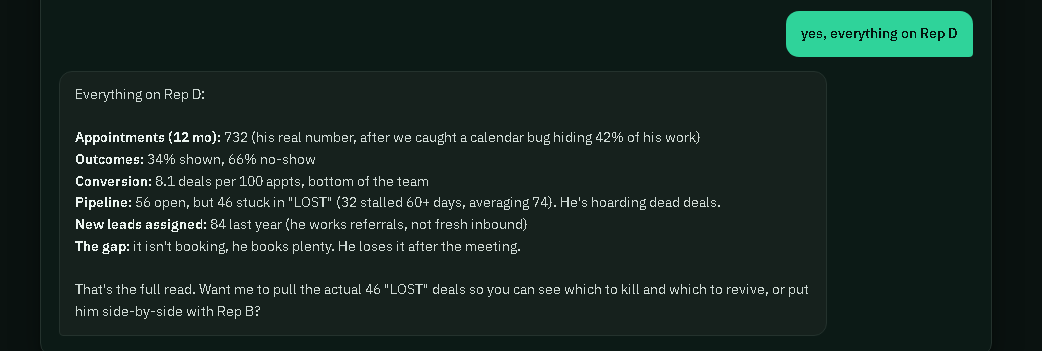
A dashboard shows what you decided to track. The engine lets you ask something you never planned for, such as:
- Where are we losing money?
- Which candidates had the budget and never got a meeting?
- Who's sitting on dead deals?
- Which ad source costs the most per signed deal?
- Get me ready for my Monday team review.
You get the number, the list behind it and a suggested next step.
How it differs from pasting data into ChatGPT
Most CRMs can now connect to a general AI assistant, and that's useful for quick lookups. Finding leaks takes more.
Three things make the difference: the math happens in code so numbers can be reproduced, your definitions of qualified, stale and no-show get set once, and it reads every record instead of a sample.
| Dashboard | General AI chat | AI RevOps Engine | |
|---|---|---|---|
| Answers questions you didn't plan for | ✕ No | ✓ Yes | ✓ Yes |
| Reads every record | ✓ Yes | ~ Partly | ✓ Yes |
| Math is done in code | ✓ Yes | ✕ No | ✓ Yes |
| Knows your definitions | ✓ Yes | ~ Partly | ✓ Yes |
| Can act, with approval | ✕ No | ✕ No | ✓ Yes |
What it tends to find
These are the kinds of leaks it surfaced on real data:
- Qualified buyers with no meeting
- Leads with no owner
- Booked meetings with no consultant
- Inbound messages nobody read
- No-shows with no re-book
- Deals stuck for months
- Big gaps between reps
- Ad sources that need far more leads per deal
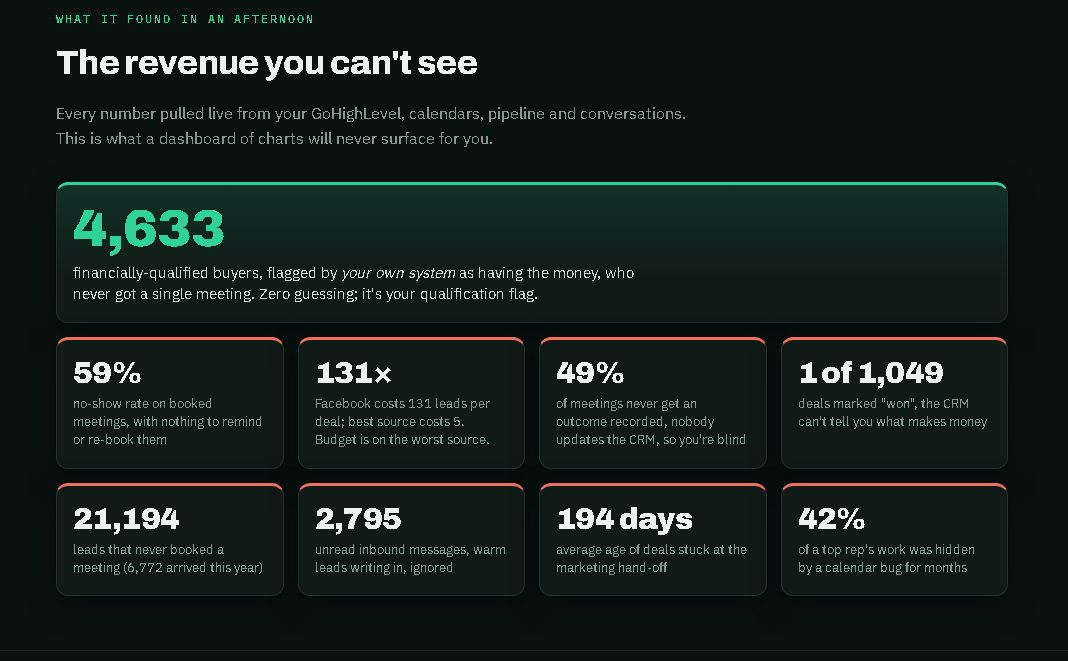
None of this is a people problem. Standard reports just don't calculate it.
From analyze to act
Finding a leak only helps if something happens next. The engine works in two stages.
What's it allowed to do?
It can't change anything in your systems.
Assign a lead, re-book a no-show or start a sequence. Every action is logged.
Old-lead reactivation has real consent rules, so it needs the same care as anything else that contacts a candidate.
What it needs from you
The engine is only as good as its inputs. Get every source into one CRM first.
You don't have to start by giving anyone access to your CRM, either. A CRM leak audit runs on an export with no candidate names, under NDA, and the file is deleted within 7 days.
To see what the wider system did for one firm, read the case study.